
Green Bowler
For individual bowlers
Your bowling season, all in one place
Record your matches, celebrate your achievements and keep the memories that make your season special, while seeing how your game is developing along the way.
Your first 10 matches are completely free, with no credit card required. Cancel anytime from within the app.
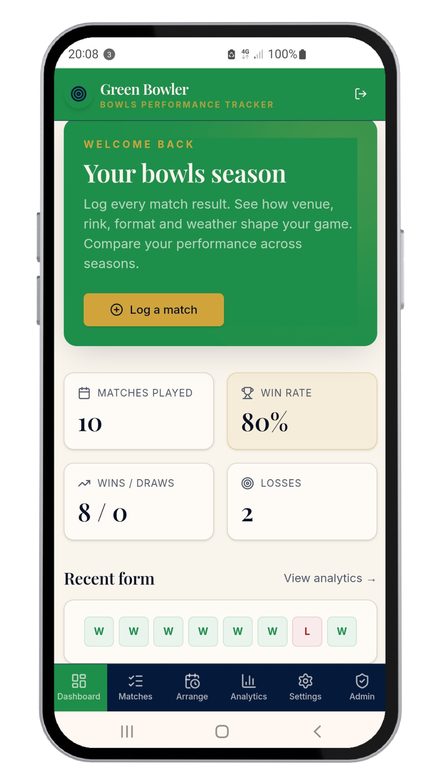
Your season is more than a scorecard
Every season has its moments. The match you never expected to win. Five wins in a row. Your first county appearance. A brilliant comeback. A rink you love playing on. The people you've shared the season with. Green Bowler gives you somewhere to keep all of it, alongside the results and stats that tell you how you've played. So when the season is over, you don't just have a list of scores. You have a record of your season.
Green Bowler takes a couple of minutes after each game.
At a glance
What Green Bowler does for you
Record your matches as you play them, then build your own bowling story as the season unfolds and compare season after season.
- Record every match, indoor or outdoor
- Look back at your season: results, opponents, rinks and performances
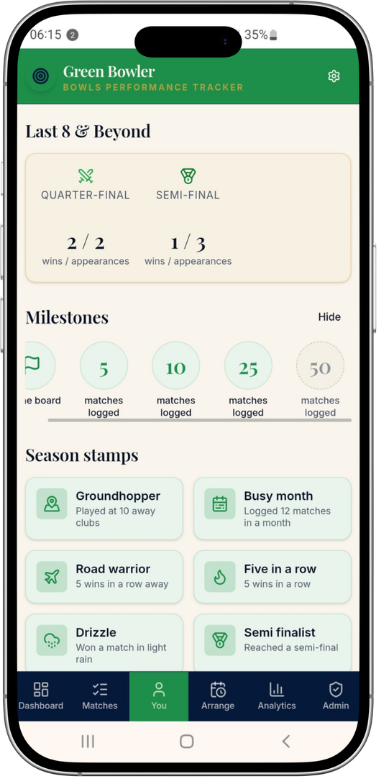
- Collect your achievements, from winning streaks to personal milestones
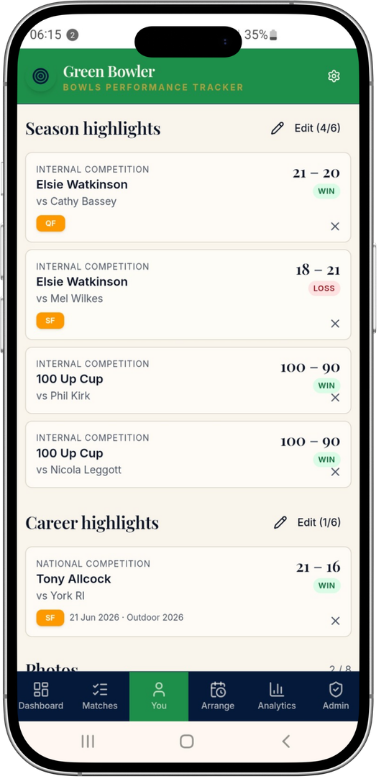
- Choose your favourite moments for your season highlights
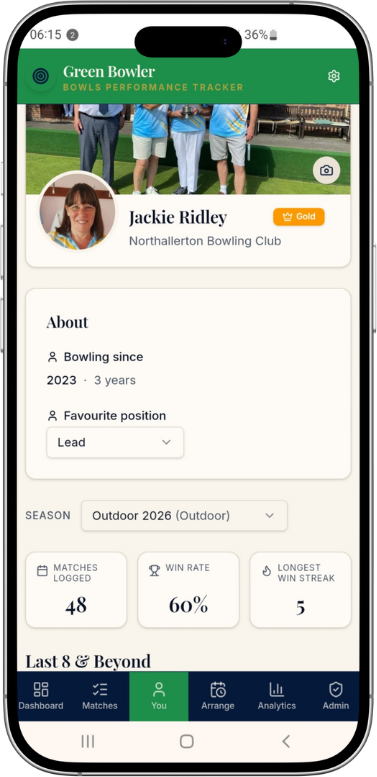
- Create your own profile and tell Green Bowler a little about you and your bowling
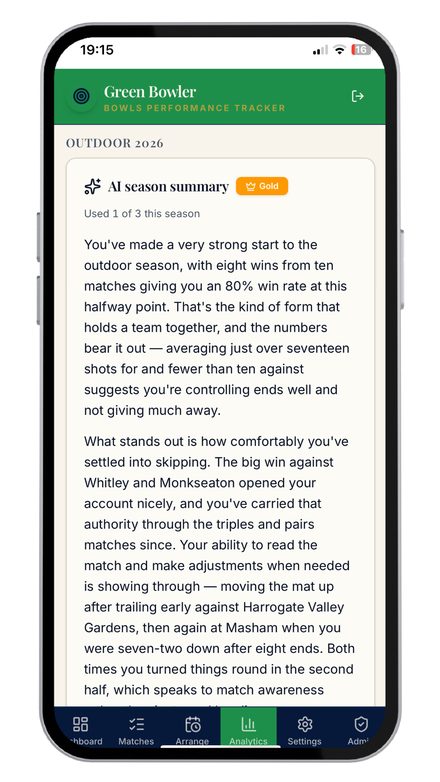
- Get a personal AI season summary at the end of each season
Features
A closer look
Your bowling diary
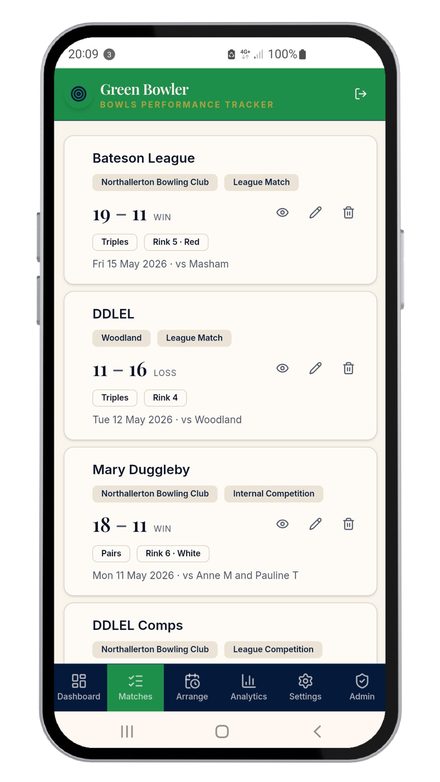
Keep a record of every match you play, indoors and outdoors, with the result, opponents, rink and other details all in one place.
Collect your achievements
Celebrate the things you achieve along the way, from winning streaks and milestones to the moments that make your season special.
Your season highlights
Choose your five favourite moments from the season. The matches you won against the odds, the brilliant comebacks, the days you'll remember.
Your career highlights
Keep the achievements that matter beyond a single season, building a personal record of your bowling career as it grows.
See how your game is developing
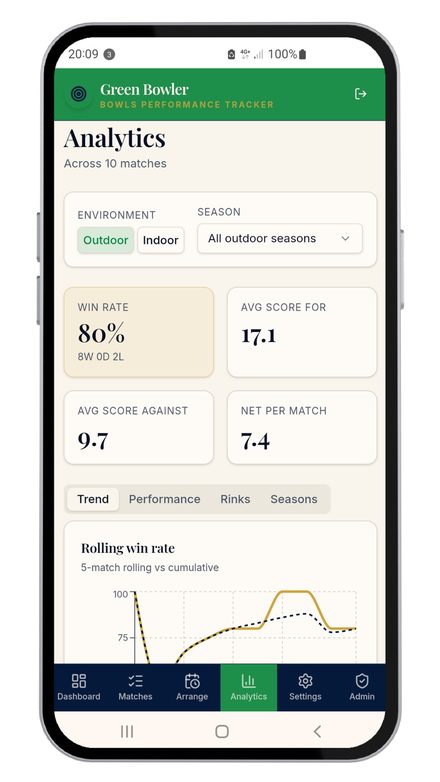
When you're interested in the numbers, Green Bowler gives you detailed performance analysis, from trends and seasons to how you perform on different rinks.
Look back, season after season
Your complete match history stays with you, so you can compare seasons, revisit old matches and see how your bowling has changed over time.
See it in action
Green Bowler on your phone, tablet or laptop
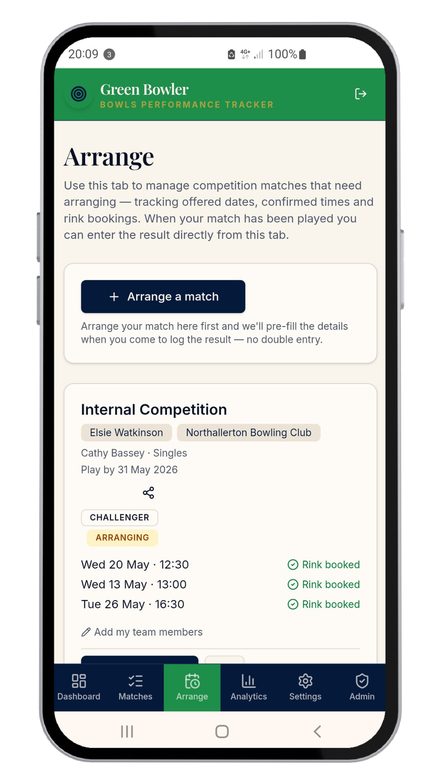
Real screens from the app, with clear text, big buttons and nothing fiddly.
Pricing
Green Bowler pricing
Free
£0
Perfect for trying Green Bowler
- Log up to 10 matches
- Basic stats for your current season
- Win rate, average score and net per match
No credit card required
Get started free (opens in a new tab)Silver
£9.99per year
Everything you need to understand your game
- Unlimited match logging
- Your full match history across every season
- All four analytics tabs: Trend, Performance, Rinks, Seasons
- Filter by match type to focus on competitive matches
- Rink analysis at your home club: colour, direction and combination breakdowns
- Season comparison across indoor and outdoor seasons
- Attach up to 2 scorecard photos per match
- Share match results and download PDFs
- 1 AI season summary per season
Cancel anytime from within the app
Get started free (opens in a new tab)Gold
£14.99per year
For the serious competitor
- Everything in Silver
- 3 AI season summaries per season
- Export match history as a spreadsheet
Cancel anytime from within the app
Get started free (opens in a new tab)Your data is yours. If you change to a higher or lower tier any previous data entered is still available to you, and you can delete your account and all your data at any time from within the app.
Installing
Add it to your home screen
Green Bowler runs in your phone's browser, so there's nothing to download from an app store. You can install it to your home screen in a few taps and it'll open just like any other app, full screen, with no browser bar in the way.
On iPhone or iPad
- You'll need to use Safari for this. It won't work from Chrome on iPhone.
- Tap the link below to open Green Bowler
- Tap the Share button at the bottom of the screen (the box with an arrow pointing up)
- Scroll down and tap Add to Home Screen
- Tap Add in the top right corner
On Android
- Tap the link below to open Green Bowler
- Tap the three-dot menu in the top right corner
- Tap Add to Home Screen
- Tap Add to confirm
FAQs
Green Bowler questions
What happens when my 10 free matches run out?
You'll be prompted to upgrade to Silver to keep logging. All your existing matches and stats are kept.
Can I switch between Silver and Gold?
Yes, you can upgrade or downgrade at any time. Your data is always preserved.
Is there a monthly option?
Not at the moment, annual plans only. At less than a pound a month for Silver, it works out very good value.
Is my data safe?
Yes, your data is stored securely and is never shared with third parties. If you ever want to delete the app you can do this from the app settings tab and all your data is deleted.
Does it work for indoor bowls as well as outdoor?
Yes, Green Bowler supports both outdoor and indoor seasons, and adapts automatically depending on the season type.
Can I record matches for more than one club?
Yes. If you're a member of more than one club you can record matches for both, and you can mark more than one club as a home club.
Still unsure? Send us a message and a real person will reply.
Ready to try Green Bowler?
Your first 10 matches are completely free, with no credit card required. Cancel anytime from within the app.